Difference between revisions of "Tutorials:DB Editor"
(→Spell Section) |
(→Quests Section) |
||
| (3 intermediate revisions by the same user not shown) | |||
| Line 17: | Line 17: | ||
== Quests Section == | == Quests Section == | ||
| − | This part of the editor will allow you to add new quest and edit a quest in the database. | + | This part of the editor will allow you to add new quest and edit a quest in the database. The first page you will see is where you will pick your zone, and quest you will be working with. |
| Line 35: | Line 35: | ||
<gallery> | <gallery> | ||
| + | File:ScreenHunter_385_Apr._07_02.39.jpg|Zone/Quest Picker Tab | ||
File:quest1.jpg|Register Tab | File:quest1.jpg|Register Tab | ||
File:quest2.jpg|Details Tab | File:quest2.jpg|Details Tab | ||
| Line 42: | Line 43: | ||
---- | ---- | ||
| − | == | + | == Spells Section == |
| − | + | Coming Soon. | |
| − | |||
| − | |||
| − | |||
| − | |||
| − | |||
| − | |||
| − | |||
| − | |||
| − | |||
| − | |||
| − | |||
| − | |||
| − | |||
| − | |||
| − | |||
| − | |||
| − | |||
| − | |||
| − | |||
| − | |||
| − | |||
| − | |||
| − | |||
== Spawns == | == Spawns == | ||
Here is where you will will be working with all spawns. They range from NPC's to ground spawns, and even the spawn scripts. | Here is where you will will be working with all spawns. They range from NPC's to ground spawns, and even the spawn scripts. | ||
Latest revision as of 01:52, 7 April 2015
This is a web-based editor used to add in all of the NPC's, Objects, Signs, Widgets, and Ground spawns. This is an easy tool to use, and will quickly become one of your favorite tools.
Getting familiar with the interface
When you first log in you will be greeted with the Home screen. At the top you will see the navigation links Home, Quests, Spells, Spawns, and Admin.

Quests Section
This part of the editor will allow you to add new quest and edit a quest in the database. The first page you will see is where you will pick your zone, and quest you will be working with.
Register Tab
For registering new quest.
Details Tab
Where you add a range of things from coin to experience.
Script Tab
Where you can add new quest or edit an existing one.
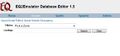
Zone/Quest Picker Tab
- quest1.jpg
Register Tab
- quest2.jpg
Details Tab
- quest3.jpg
Script Tab

Spells Section
Coming Soon.
Spawns
Here is where you will will be working with all spawns. They range from NPC's to ground spawns, and even the spawn scripts.